Now on the App Store

Every photo from your event.

Together.

Create an event, share one link, and gather everyone's photos in one beautiful place — no app to download for your guests.

Download on the App Store
Scan to downloadPoint your camera here

No app needed for guests — they just tap the link.
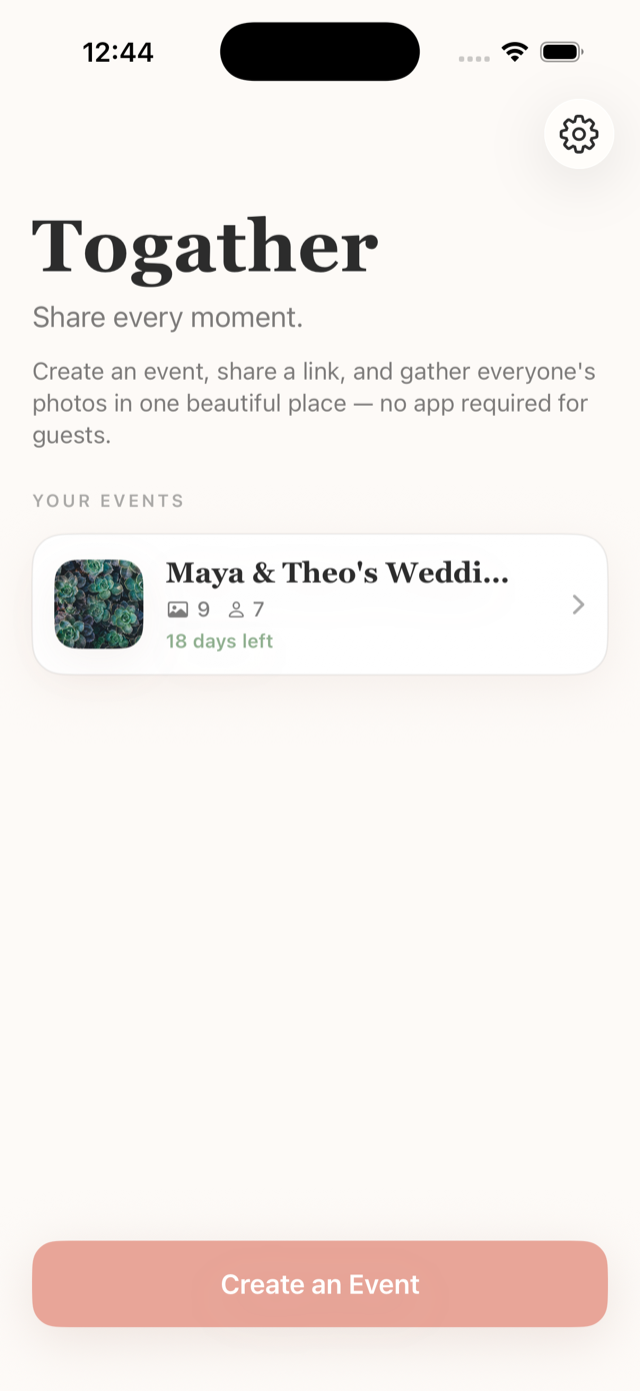
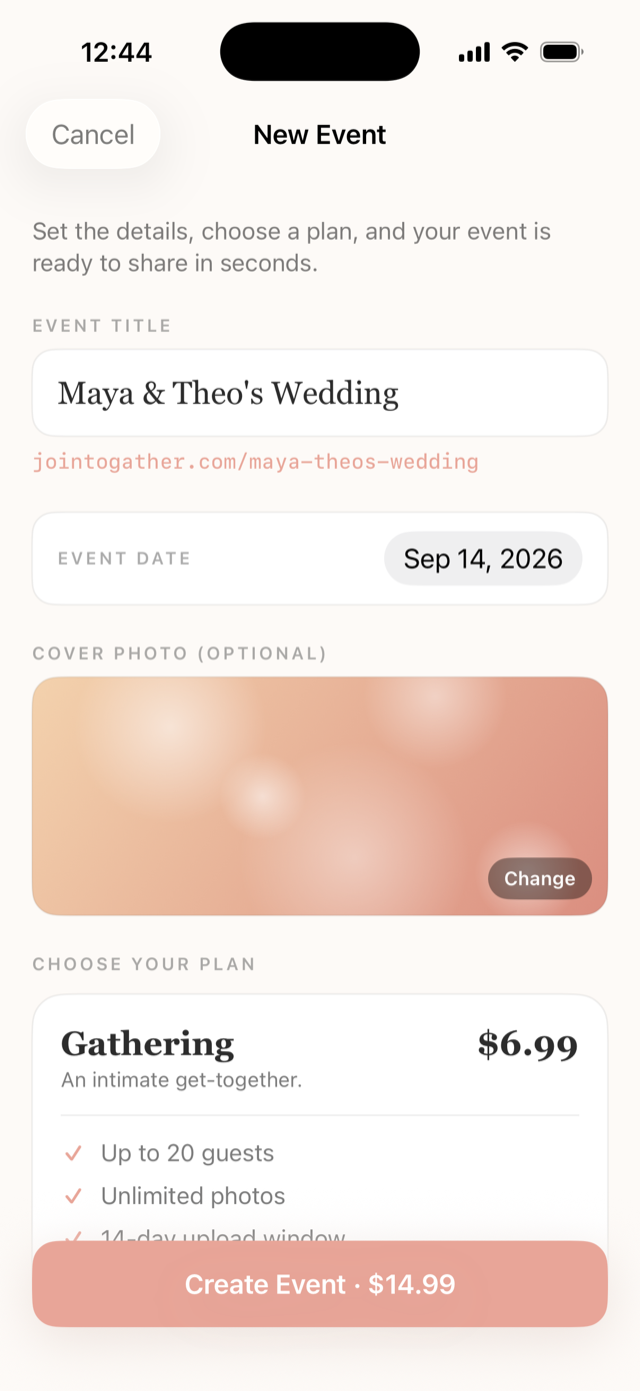
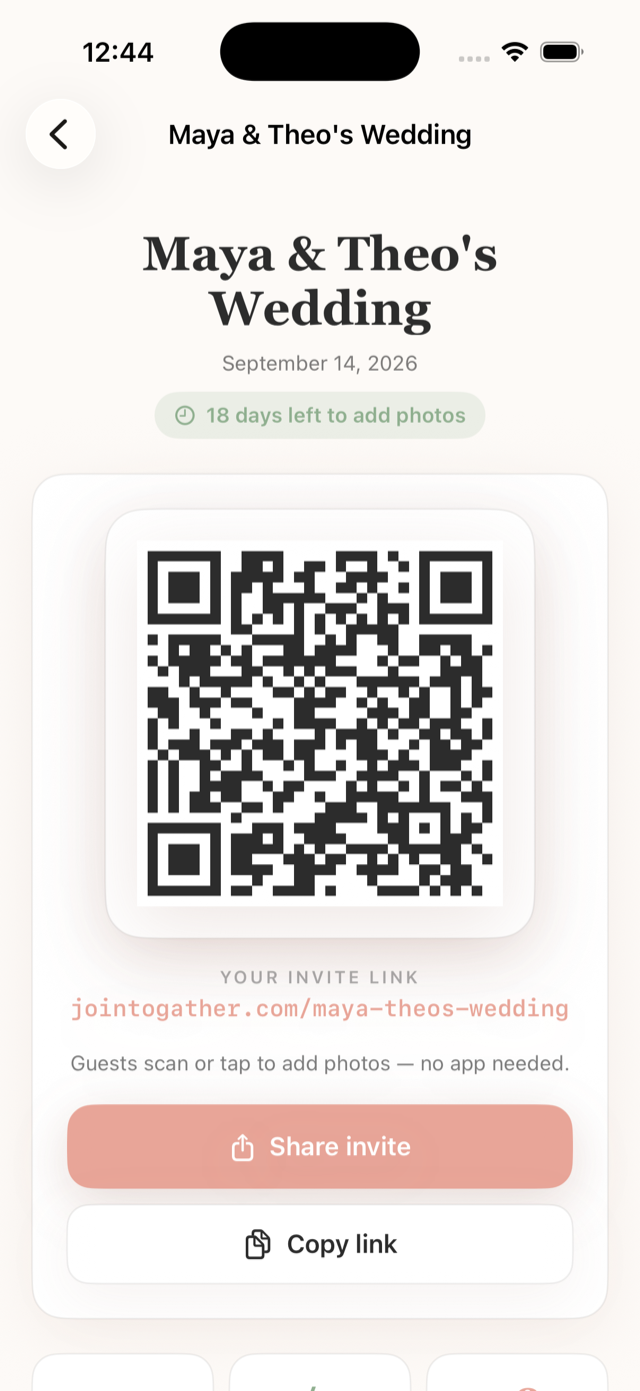
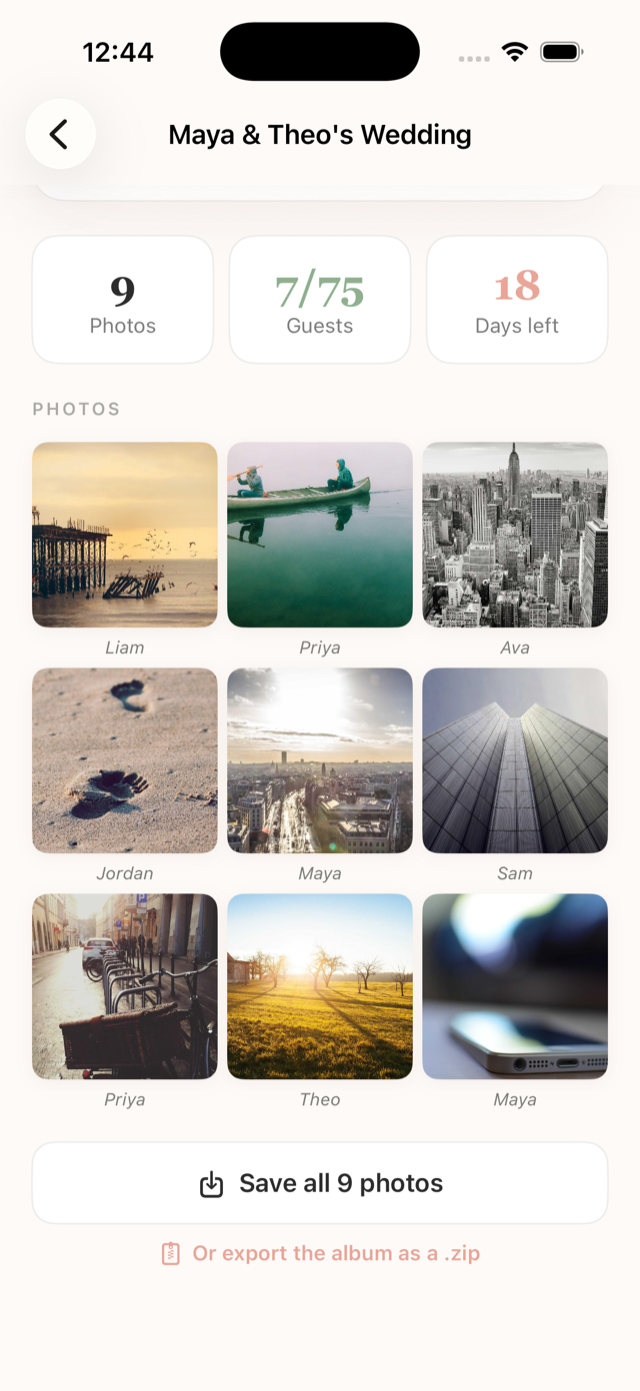
Togather home screen Creating an event in Togather Event QR code and invite link Photo grid filling with guest photos
How it works

Three steps. One beautiful album.

From "let's do this" to photos rolling in — in about a minute.

01

Create your event

Name it, pick a plan, add a cover photo. You're set in under a minute.

02

Share one link

Text it to everyone, or print the QR for the welcome table. Guests just tap.

03

Photos roll in

Every guest's photos land in your album, live — from every angle of the night.

Why Togather

Made for the moment, not the busywork.

No app for your guests

They open your link in any browser, add a name, and upload. No download, no account, ever.

A QR code for the door

Prop a phone or iPad at the entrance. Guests scan as they arrive and start adding photos.

Relive it for months

Your album stays live for 3 to 12 months. Revisit the whole night whenever you like.

Yours to keep

Save every photo to your camera roll, or export the whole album as a zip to keep forever.

Pricing

One event. One price.

Pay once when you create an event. No subscriptions, no per-guest fees.

Gathering

An intimate get-together.
$6.99
  • Up to 20 guests
  • Unlimited photos
  • 14-day upload window
  • Relive for 3 months

Grand

No limits. The whole story.
$29.99
  • Unlimited guests
  • Unlimited photos
  • 60-day upload window
  • Relive for 12 months

Every plan includes the QR kiosk, the live photo grid, and full-album download.

Be the one with all the photos.

Set up your event tonight and have the album ready before the first guest arrives.

Download on the App Store
Scan to downloadPoint your camera here